




ZumoSpin Login & Sign-Up
The ZumoSpin login opens the account in a couple of seconds, and registration takes about a minute. Real bets, bonuses, and payments are available only to members, which is the main reason to create a profile. Registration at ZumoSpin Netherlands is open to adults aged 18 years old.



Registration and What the Form Asks For
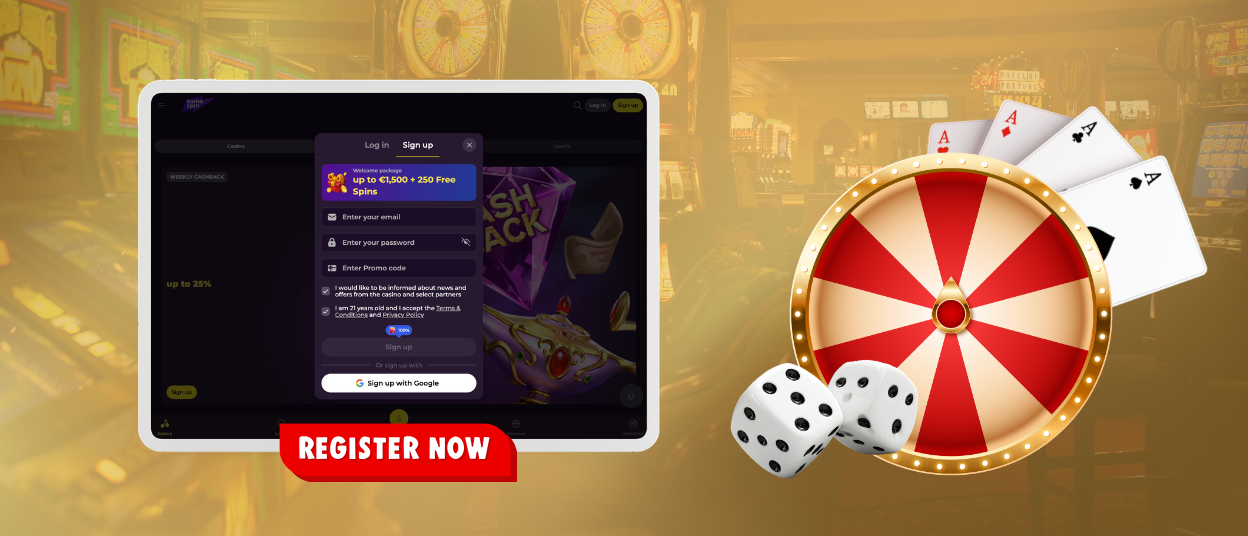
Registration at ZumoSpin Casino runs in one small window, and the list of fields there is deliberately short. Nothing has to be prepared in advance, since an email address and a password are the whole basis of a new account. The table below shows what each field expects and why it is there.
| Required data | Details |
| Becomes the login and receives service messages | |
| Password | A new combination not used on other sites |
| Promo code | An optional field for a starting code |
| Checkboxes | Age and terms confirmation, plus an optional news subscription |
One press of the Sign Up button completes the process, and the ZumoSpin profile is active immediately. The welcome offer is shown at the top of the same window, so the starting terms are clear before the first deposit. It is worth checking the email for typos before the final press, because Zumo Spin service messages will be sent exactly there.
What Changes After Sign-Up
A guest and a member see the same ZumoSpin site, but the set of available actions is different. The comparison below covers four situations that come up on almost every visit, from the first game launch to the first payout request.
| As a guest | After sign-up |
| Browsing the catalog and demo launches | Real bets in any game |
| Viewing promo cards | Activating offers and entering codes |
| Reading tournament rules | Scoring points in races automatically |
| Payment section out of reach | Deposits from €20 and payouts from €50 |
The right column becomes available as soon as the ZumoSpin account exists, and none of it needs separate activation. Demo versions remain open to members as well, so nothing from the left column is lost.
How to Log In to Your Account
Returning members press the Log in button at ZumoSpin, and the same window opens on its second tab. The email and password from registration are enough, while those who signed up through Google finish with one confirmation. On a personal device the session usually stays active between visits, so the form appears mainly after a manual exit. The installed icon at Zumo Spin leads to the same window, and sessions on different devices work independently.
Password Recovery
A separate link under the form starts the reset. Enter the registered email, and a message with a secure link arrives in the inbox within a minute. The link opens a page where you set a new password, and the old one stops working right away, so the next ZumoSpin login accepts only the fresh combination. The letter is valid for a limited time, which is why it is better to use it soon after arrival.
When Sign-In Fails
Most refusals come from simple typing errors, such as a different keyboard layout or an old password inserted by autofill. Entering both fields by hand solves the majority of cases at Zumo Spin. A short pause after several attempts is a security measure and ends on its own, while a window opened on the Sign up tab only needs a switch to Log in. If none of this fits the situation, live chat checks the account status directly at any hour.
Inside the ZumoSpin Account
The first screen of the ZumoSpin account shows the balance together with active offers, each with its remaining wagering and timer. The promotions tab accepts codes and keeps every claimed reward in one list. Transaction history opens from the same menu and is worth checking before a payout request, and sports bets appear there too, since one profile covers both sides of the platform. Responsible limits are set in the settings of the ZumoSpin casino profile, and every change applies immediately.
Verification Before the First Payout
Verification at ZumoSpin is a one-time check that confirms who owns the account, and it happens before the first withdrawal. The verification process at Zumo Spin takes four simple steps.
- Open the verification area in the profile settings.
- Take a photo of your identity document with the phone camera.
- Add a proof of address if the system asks for one.
- Send the files and wait for the confirmation message.
Clear photos are usually approved quickly, and after that, payouts at ZumoSpin Casino go through without repeated checks. Documents can be sent right after registration as well, which removes any waiting before the first request. Multilingual support answers document questions in a language convenient for you.
Protecting the Account
One rule covers most of the security: a password created only for ZumoSpin and never reused elsewhere. On shared computers the log-out button matters as much as the password itself, and on a personal phone the screen lock protects the installed icon. Saving the combination in the browser is a reasonable option on a private device.
We never ask for passwords in messages, so any such request is an attempt at fraud. The best reaction is to leave it without a reply and write to the Support Team, which checks these cases quickly.
FAQ
Does Changing the Password End Sessions on Other Devices?
Yes, a new password closes every session that used the old one. Each device will ask for the updated ZumoSpin login data at the next visit. That is why a reset is the first step whenever something about the account raises doubts.
Where Can I See the Promo Code I Used at Registration?
The code turns into its reward right away, and the reward appears in the promotions tab at Zumo Spin. Its terms, wagering, and timer are listed on the same card. The code itself is no longer needed after activation.
Can I Pause the Account Instead of Closing It Completely?
Yes, the profile settings include cooling-off breaks measured in days. During the pause, entry to ZumoSpin Casino is suspended, and play resumes automatically when the term ends. A full self-exclusion is also available for a firm stop.


